Thank you! Your submission has been received!
Welcome to the Mayor’s Office of Civic Design!
This article was written by Emerge Career’s founding Product Engineer, Doug Dahl and edited by Emerge Career’s founding Design Engineer, Sherry Liu.
Auth incidents at Rikers in August and September 2026
In August, we released a very standard update that led to a very non-standard consequence.
Emerge Career works to train justice-impacted and low income people and get them placed into skilled trades jobs. As a part of this work, we distribute our learning platform for use in correctional facilities. After adding passwordless login to our platform, our students on Rikers Island, New York City’s infamous island prison, suddenly lost the ability to sign in. The new feature allowed our students in-community to log in without needing to remember a password, which led to a durable 6% bump in user engagement. On the island, though, things didn’t go so smoothly. This post explains what happened, how we fixed the issues, and how to test software for correctional facilities. We’ll start with the high-level takeaways.
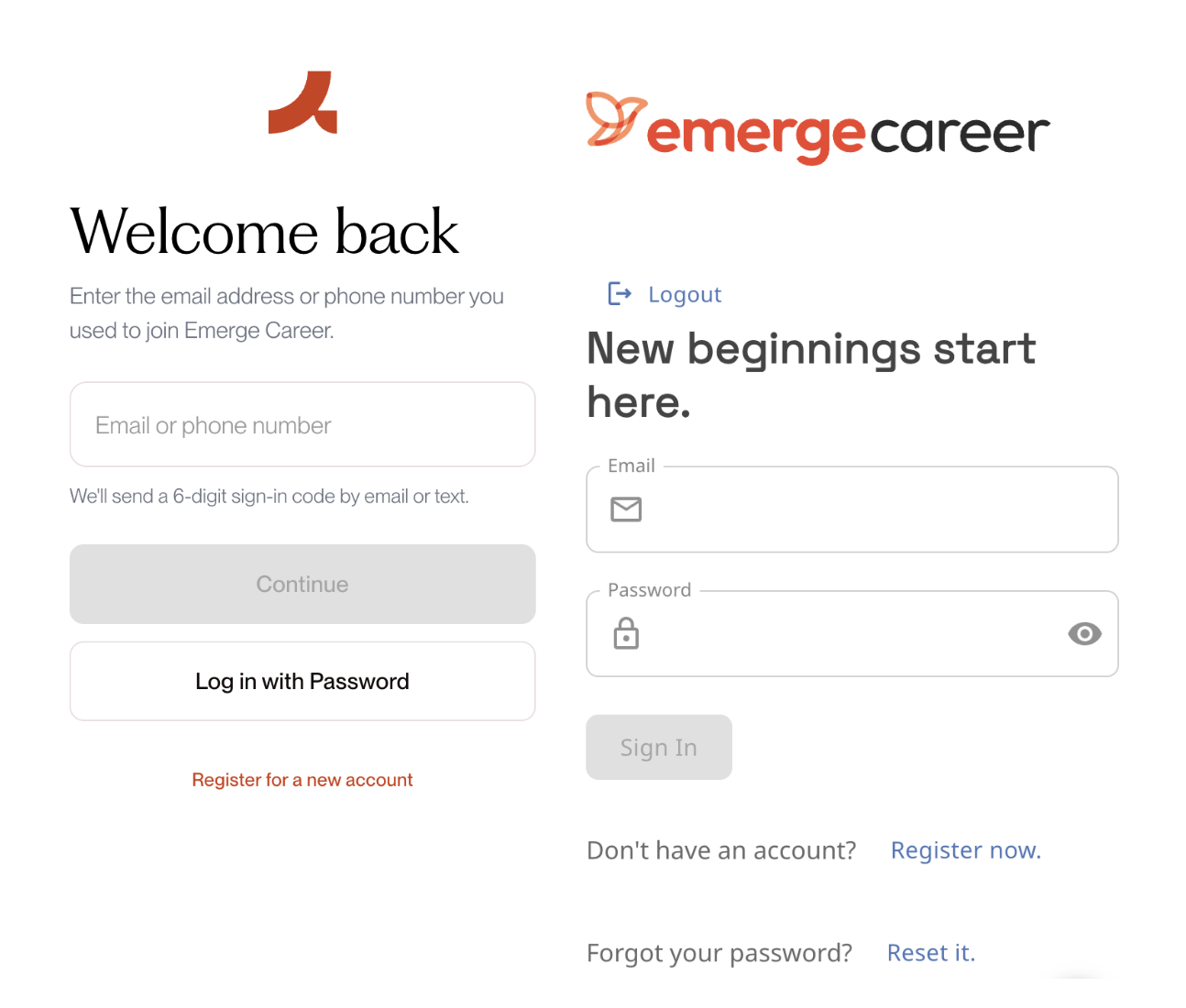
Fig 1. Emerge Career’s new auth page (left) vs our old auth page (right). Students can now log in by receiving a code to their device. Looks like a strict upgrade to me.
Best Practices: Building Software for use in Correctional Facilities
Train your onsite rep as a QA engineer
Information has a lot of constraints as it moves into and out of correctional facilities, as a part of the nature of the facility. Reports often pass from a student to an instructor, then to a program rep, and only then to an engineer. Playing telephone with a bug report is dicey under the best of circumstances, and even more so if your rep isn’t trained to communicate problems with your tech.
To offset this risk, give the rep a template they can use to report bugs. Ask for the time and time zone of the incident, facility code, page, last user action, exact visible text, affected devices out of devices tested, and a photo if possible.
Assume all facility traffic will come from a single IP in bursts
An IP address normally maps to about one household or one user. Rate limits can be set per-IP because it makes sense to assume that one user won’t press the login button 94 times in under a minute.
This assumption doesn’t hold in a correctional facility. These facilities assign every device in a facility to one outbound IP address, such that all traffic looks like it’s coming from a single device. What’s more, users will likely access your product in large groups simultaneously during time-blocked, monitored sessions. Any rate limits should be set taking these facts into account. This likely means setting your rate limits based on user, session, or sign-in code, rather than IP
A single IP can also be a feature for debugging incidents in a facility — during an incident, you should look for a rise in requests and errors from the facility’s address to identify problems more quickly.
Keep login independent of blocked browser services
Get the facility’s approved-host list and compare it with every host the browser contacts. Test the production login flow on the facility network.
Support a facility-approved login and recovery route that does not require a personal phone, a personal inbox, or a third-party browser script.
If you’ve already got a flow that will work for users without emails and phones, make sure you train facility staff to direct students to that flow.
Build a test environment with facility constraints
To ensure your preflight checks accurately represent the environment you’re deploying into, you should mimic the constraints of that environment as faithfully as possible.
At a minimum:
- Block every host outside the facility’s approved list.
- Send the largest planned class through one test address.
- Keep an old tab open across a release.
- Add slow service, dropped requests, an old browser, low storage, and sequential users on one device.
- Break one optional component and confirm that the rest of the page still works.
Incident Breakdown
On August 28, 2026, students at a group study session on Rikers could not sign up or sign in to Emerge’s webapp. When they landed on our auth page the page would load, but the browser could not load a service required by the login flow.
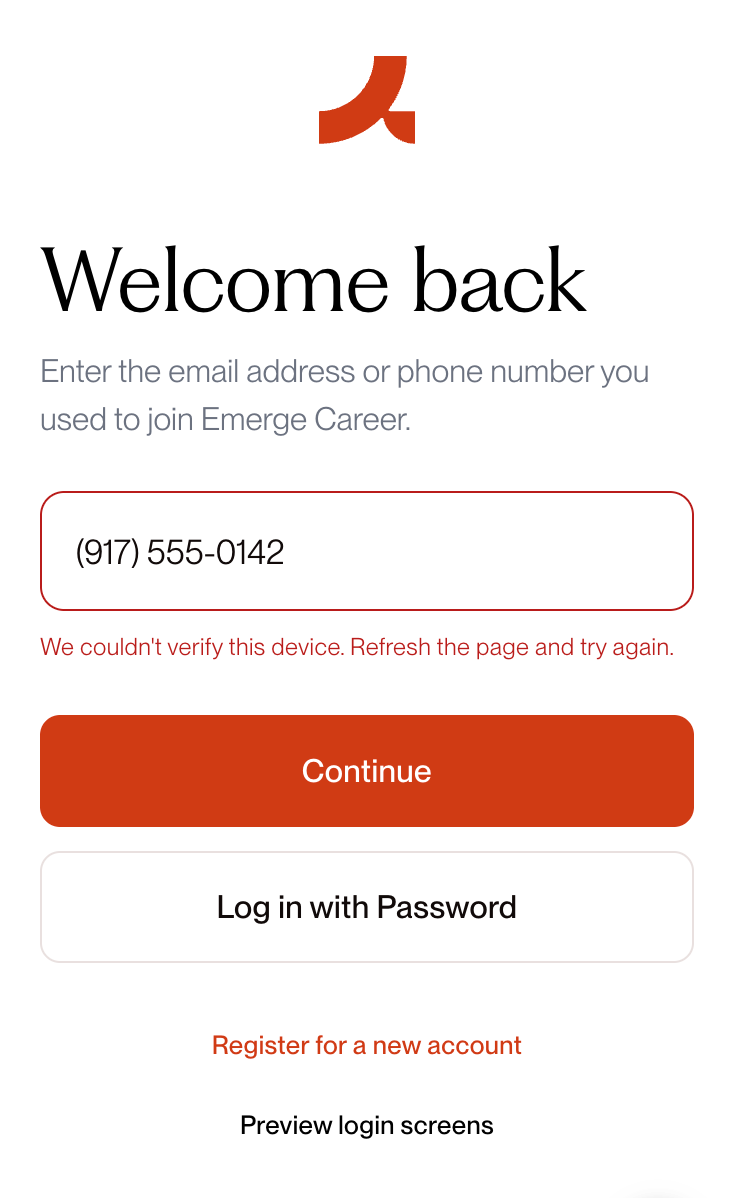
Fig 2. A recreation of the error our students reported.
To students, it looked like our app was working fine, but the sign up button was broken. The real source of the issue was that our reCAPTCHA script lived on www.google.com, which the facility network blocked. As a result our app could not create an auth token, and our protected registration and login methods then rejected login and registration requests with HTTP 401 responses. On the frontend, our sign up button would enter a loading state with a non-descriptive error after the first press. One rep pressed the button 83 more times to try and get it to work.
To make things worse, all the outbound traffic from the facility also passed through one public IP address. After enough requests, later auth attempts failed because they were rate limited.
Our software assumed a normal consumer network, one person per address, and current browser files. Those assumptions did not hold inside the facility.
How login worked in the correctional facility
A student’s browser had to complete these steps before they could enter the Emerge app:
- Load the Emerge page.
- Load reCAPTCHA from www.google.com.
- Use reCAPTCHA to create an auth token.
- Call the registration or login service with that token.
- Request and submit a one-time code.
- Load the dashboard and its versioned JavaScript files.
We’d gotten our web app on the allowlist for the correctional facility, but our auth flow still failed because it relied on a call to google’s reCAPTCHA service, which was blocked by the facility’s network rules.
Our auth flow also assumed that an IP address was representative of a single user or small group of users. This was not the case at Rikers, where the entire facility had a single outbound IP address. When the 30 students at our study hall session signed in, it looked like automated, bursty traffic and triggered our rate limit.
We resolved this issue by switching to ‘www.recaptcha.net’ as our reCAPTCHA provider. Just to be safe, we also ended up changing our rate limiting logic significantly (more granular, per-account limits) to account for the bursty-looking traffic that came from the facility during our study hall event.
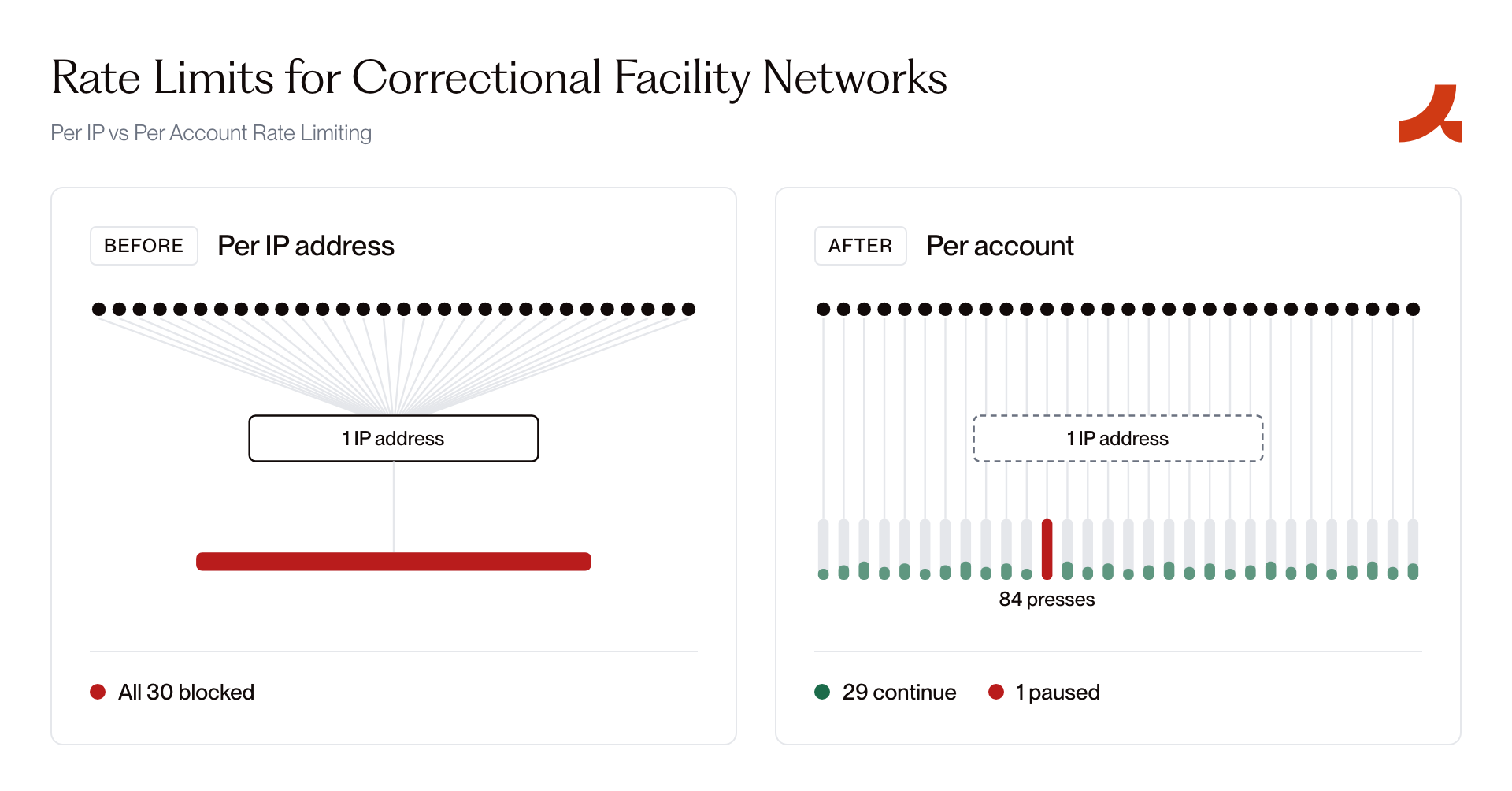
Fig 3. User impact of per-IP vs Per account rate limiting on shared networks.
A second incident & onboarding a forward deployed test engineer
A couple of weeks later on September 10, 2026, a report of a second auth failure came in through a partner who was leading a session onsite. The report in question read: “Login is broken for students on Rikers.” I decided then to retire my Claude Max subscription and become an influencer.
Initially this looked like an aftershock from the initial SEV incident. After a 30 minute debugging session, it turned out that four out of thirty students in our orientation session on Rikers were attempting to log in via a magic link — a magic link they couldn’t access, since they didn’t have a device or email available.
To prevent the same confusion during the next incident, we created two repeatable practices:
- Train the onsite representative to direct students through the supported login path and send engineers a useful report.
- Test each release under the same limits students face inside the facility.
Training the onsite representative
One MORE challenge that operating inside a correctional facility presents: your users won’t be able to contact your support team directly. Your onsite representative is often your only source of information. They do not need to be a forward deployed engineer, but they do need clear instructions on how to report a bug.
To help mitigate this type of misstep in future, we developed:
- A guide to train each representative before their first session with the Emerge app. We give them a one-page guide containing:
- Screenshots of the supported login route.
- The first step to take for each common error.
- The support channel to use.
- A rule to try an action only once. If it fails again, stop and report it. Repeated attempts from an entire class can trigger a shared rate limit.
- A template for reporting bugs
Facility:
Date, time, and time zone:
Number of affected students:
Number of devices tested:
Page or screen:
What the student did immediately before the problem:
Exact words or error code on the screen:
Did it work after refreshing the page?
Photo of the screen:
The idea here is to give representatives a framework to report what happened, rather than diagnose the problem themselves. “Login is broken” isn’t particularly helpful, but it makes sense that would be the report in the absence of a strong alternative scaffolding. This second incident looked like it was coming from the same code surface as the first based on the unstructured error report. I was ready to retire as an engineer! Setting up a structured reporting mechanism can save you from the same stress.
Testing under facility conditions
A test on a home network or WeWork Wifi can’t reproduce the constraints of a correctional facility. To make sure we could catch future issues before they arose, we built a testing environment to simulate the conditions our app operates under on Rikers.
Here are the baseline list of facility conditions that we operationalized for our v1 testing harness, along with the actual tests and expected behavior:
- Check that your software depends on approved hosts only
- To test: use your testing harness to block every host outside the facility’s whitelist. Determine critical user flows for your users in-facility and test drive all of them manually before launches.
- To pass: every critical flow should succeed without failing on a call to a blocked host.
- Check that shared traffic from a single IP address won’t degrade your service
- To test: define the ceiling for the number of concurrent users who may access your service through a single IP. Route a test set of requests for each critical path through a proxy that assigns the same IP to every request.
- To pass: rate limiting applies per-account, but not per-IP address
- Check that your app is accessible end-to-end with only the hardware available in facility
- To test: complete all critical flows using only the hardware your users will have access to (IE. if your users will only have highly restricted tablets, the norm in many facilities, acquire a test device and use it to test your launch.)
- To pass: all critical user flows are accessible on the hardware that users will be using in reality.
- An old version of the application
- Test: Open release A, deploy release B, remove one of release A’s JavaScript files, and continue using the old tab.
- Pass: The application loads the current version without requiring a hard refresh or entering a reload loop.
- A slow or interrupted connection
- Test: Delay requests, drop one request, leave the tab in the background, and test an older supported browser on a device with little free storage.
- Pass: The application explains the failure and lets the student continue or retry safely.
- Several students using the same device
- Test: Sign in as user A, sign out, and sign in as user B. Repeat with another tab still open.
- Pass: User B cannot see user A’s name, progress, cached pages, or other data.
- One optional service failing
- Test: Disable one dashboard card or another nonessential request.
- Pass: Login and the rest of the application continue to work.
Closing
Your product often only gets one chance to impress a user, even in the best of circumstances. Operating in a corrections facility is certainly not the best of circumstances. If you’re building software that people might use in prisons, understanding the unique constraints you’re likely to face and the tactics you can use to work around those constraints is the only way you can make the most of your one opportunity to impress! Please learn from our mistakes.
About the authors
Doug Dahl is the Founding Product Engineer at Emerge Career. He works on building products that improve student outcomes by using product-led growth tactics. He also works as a partnership manager, salesperson, student coach, and ops leader.
Sherry Liu is Emerge Career’s founding Design Engineer. She works on designing delightful experiences for students and internal operators. They also work as a partnerships manager, student coach, ops leader, and events manager.